

Still Using Windows XP
Making Your Own Windows 8 Recovery Image
One of the greatest features of Windows 8 is its built-in dual recovery systems. There are two types of recoveries that have made their way onto Windows 8. The refresh recovery acts more as a simple tune up and will reignite a once unusable opera...Read More

Zeus Virus
With more people now using social networks more than ever, a nasty virus code-named “Zeus” has been causing quite a stir within the last month. Unlike most viruses such as the FBI virus that completely compromise a user’s system, Zeus operate...Read More

Renaming File Extensions
Every once in a while, we try to open files only to find out that they won’t load for some reason. Our initial response is to think that the file has become corrupted. Once we realize that the file is, in fact, fine we look other places. Why ...Read More
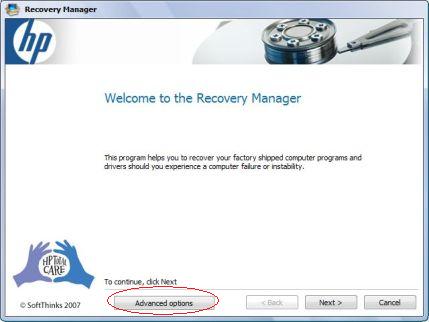
Dangers of HP’s Built-in Recovery Manager
One of the most common practices when a computer experiences software errors is to perform a system recovery. A system recovery is a built-in utility that allows the user to reset their computer back to its factory settings. While this seems like...Read More

My Laptop Screen is Black!
Laptops are very convenient because they can pack powerful computers in such a small frame. They give us the ability to carry our computers with us, and get work done in places that would be impossible with a desktop computer. You find yourself s...Read More
Raid What?
After finally dealing with the loss of your precious 10-year old Windows XP computer, you decide its time to move on. You eagerly head over to your local brick and mortar and start looking up and down the computer selection. You come across a shi...Read More
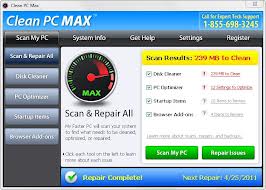
Should I Pay for PC Cleaning/Speed Up Apps?
If you have every used the internet, which is all of you if you are reading this, then you are well aware of the abundance of Windows Cleaning/Speed Up Apps. They go by various names and they all aim to speed up a computer. Many have fallen victi...Read More
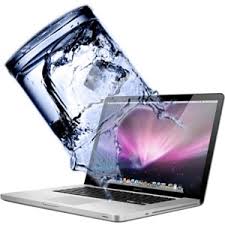
Liquid Damage on a Macbook
Probably one of the most dreadful experiences that a Macbook user will experience is any form on liquid damage. This ranges from coffee, to wine, to soda, and to water. If any of these accidentally spill onto your laptop, it causes a lo...Read More

Can My Mac Get a Virus?
It’s a common belief that Mac computers cannot get viruses, whereas Windows computers are full of them. Everyone assumed that those shiny Macbook Pros are free to roam the cyber world without a care in the world. This simply couldn't be more ...Read More